Smart Scan: find duplicates, memes, screenshots, and blurry shots automatically
MemeScanr's Smart Scan analyzes your entire iPhone photo library on-device and groups every photo into one of six cleanup categories: duplicates, screenshots, memes and clutter, blurry shots, app downloads, and everything else. It uses perceptual hashing, iOS PhotoKit metadata, and on-device machine learning. No photo ever leaves your phone.
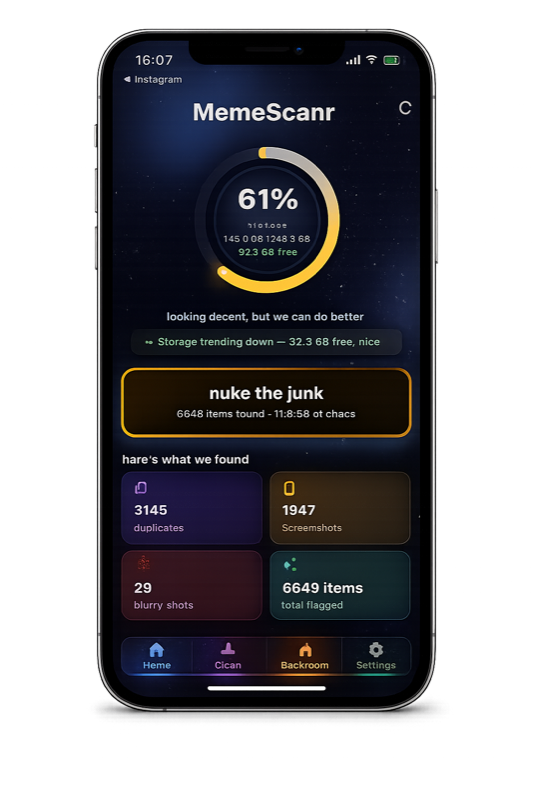
What Smart Scan detects
Smart Scan puts every flagged photo into exactly one of six categories:
- Duplicates — exact and visual copies, detected via 64-bit perceptual hash and iOS burst groups.
- Screenshots — detected via PhotoKit's
PHAssetMediaSubtype.photoScreenshotflag. 100% accuracy. - Memes & clutter — detected via on-device ML analyzing text density, edge density, Shannon entropy, and face presence.
- Blurry shots — detected via Laplacian variance on a 128-pixel luminance map. Portrait-mode photos are excluded.
- App downloads — photos saved from Instagram, TikTok, WhatsApp, Messages, Safari, AirDrop. Identified via native iOS source classification.
- Camera clutter — photos with heavy documents, blur, or low quality detected by camera-specific heuristics.
How does MemeScanr detect duplicates?
Duplicate detection runs in three layers:
Layer 1: iOS burst groups
MemeScanr queries PhotoKit for every photo with a burstIdentifier
and groups them natively. This catches every rapid-fire series from
the native Camera app automatically.
Layer 2: 64-bit perceptual hashing
Every image is reduced to a grayscale 8×8 hash using a DCT-based perceptual hashing algorithm. Two photos with a Hamming distance of 3 or less are flagged as exact duplicates. Distance 4-14 = visual duplicates (slightly modified, compressed, or re-saved versions of the same image).
Layer 3: video signature matching
Videos are matched by 3 keyframe signatures plus duration. Exact video duplicates require ≥90% frame match within 1200ms duration tolerance. Visual video duplicates use ≥80% frame match.
How long does Smart Scan take?
| Library size | Typical scan time |
|---|---|
| Up to 5,000 photos | ~20-30 seconds |
| 5,000 – 15,000 photos | ~45-90 seconds |
| 15,000 – 50,000 photos | ~2-4 minutes |
| 50,000+ photos | ~5-10 minutes (resumable) |
Can a scan pause and resume?
Yes. If you background MemeScanr mid-scan, the orchestrator cancels cleanly and persists its last processed cursor to a local SQLite checkpoint. When you return, the Home tab shows a "resume scan" button that continues exactly where it stopped — no duplicate work, no restart from zero.
Is Smart Scan private?
Yes. Every step runs on-device. No photo, video, thumbnail, or metadata is ever uploaded. There is no MemeScanr server. We don't even have a backend that could theoretically receive your data. Read the full privacy policy.